
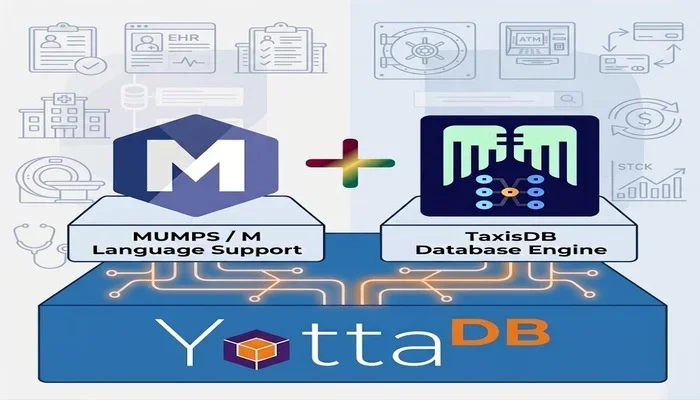
Installation and First Run
This guide shows you how to install TaxisDB on Ubuntu on top of YottaDB
Step 1: Installing YottaDB
This is a full Installation of YottaDB including all plugins, if you want to customize your installation visit
Official Installation Guide of YottaDB
How to Install Octo
# Install prerequisite packages

# Ubuntu/Debian
sudo apt update
sudo apt install file binutils libelf-dev libicu-dev nano

# For Octo installation
sudo apt install bison build-essential ca-certificates cmake curl file flex git libconfig-dev libelf-dev libicu-dev libreadline-dev libssl-dev pkg-config

# For all plugins installation
sudo apt install libsodium-dev libcurl4-openssl-dev tcsh libgcrypt20-dev libgpg-error-dev libgpgme-dev gdb

# Download ydbinstall.sh script
wget https://download.yottadb.com/ydbinstall.sh
chmod +x ydbinstall.sh

# Install YottaDB with ALL plugins
sudo ./ydbinstall.sh --installdir /home/user/YottaDB --utf8 --verbose --allplugins --user user --group user
YottaDB Environment Setup
The following environment variables must be set for Octo to operate properly:
ydb_distydb_gbldirydb_routinesydb_xc_ydbposix
The environment variablesydb_dist,ydb_gbldir,ydb_routines, andydb_xc_ydbposixcan initially be set by sourcingydb_env_setin your YottaDB installation directory.
# provides a detailed report on the YottaDB build, e.g.
yottadb -version

# Add the installdir of yottadb to the path
export PATH="$HOME/bin:/home/user/YottaDB:$PATH"

# Add the following line to the .bashrc
# to source the ydb_env_set each time we start a bash shell
# ydb_env_set uses reasonable defaults to set up a YottaDB application development environment that includes plugins conforming to the YottaDB standard (such as the POSIX plugin and Octo).
source /home/user/YottaDB/ydb_env_set

# The default environment is created under $ydb_dir, defaulting to `$HOME/.yottadb`

# defaulting to `$HOME/.yottadb` unless the environment variable `ydb_dir` points to another location,
# set this to define a directory for the environment set and managed by `ydb_env_set`. If it is not set, `ydb_env_set` uses `$HOME/.yottadb`.
echo $ydb_dir

# Points to the directory where YottaDB is installed.
echo $ydb_dist

# Points to a global directory file. A global directory file maps global variables (the hierarchical key-value relationships of the YottaDB database) to database files in the filesystem.
echo $ydb_gbldir

# Tells a process where to find application code written in M. It is not required by applications that do not invoke M code.
echo $ydb_routines

# Local repository for YottaDB databases
ln -s .yottadb/r2.02_x86_64/g/ YottaDB.data
When ydb_env_set is sourced, it provides a default execution environment (global directory and a default multi-region database) if none exists, and recovers an existing environment if needed. If neither gtmdir are defined, by default it creates the database in $HOME/.yottadb. The structure of the default environment is shown below, with routines in the r subdirectories, object code in the o and o/utf8 subdirectories. Databases are in the g subdirectory.
.yottadb
├── r
├── r1.36_x86_64
│   ├── g
│   │   ├── %ydbaim.dat
│   │   ├── %ydbaim.mjl
│   │   ├── %ydbocto.dat
│   │   ├── %ydbocto.mjl
│   │   ├── yottadb.dat
│   │   ├── yottadb.gld
│   │   └── yottadb.mjl
│   ├── o
│   │   └── utf8
│   └── r
└── V6.3-014_x86_64 -> r1.36_x86_64
For more information refer to YottaDB Environment Setup
YottaDB CLI
How to start a YottaDB process
user@Z440:~/$ ydbInvestigate the path where you can run MUMPS code.
echo $ydb_routinesTest your installation
Create this M script at $HOME/.yottadb/r/env.m
init
  WRITE !,"= YottaDB Environment Snapshot =",!
  WRITE "YottaDB Release: ",$ZYRELEASE,!
  WRITE "GT.M Version:    ",$ZVERSION,!
  WRITE "Build Date:      ",$ZRELDATE,!
  WRITE "Char Set:        ",$ZCHSET,!
  WRITE "PID:             ",$JOB,!
  WRITE "Mode:            ",$ZMODE,!
  WRITE "CWD:             ",$ZDIRECTORY,!
  WRITE "Global Dir:      ",$ZGBLDIR,!
  WRITE "Routines Path:   ",$ZROUTINES,!
  WRITE "Principal Dev:   ",$PRINCIPAL,!
  WRITE "Actual Dev:      ",$ZIO,!
  WRITE "Last Error:      ",$ZSTATUS,!
  ZSYSTEM "echo 'ydb_dist  = '$ydb_dist"
  ZSYSTEM "echo 'ydb_gbldir= '$ydb_gbldir"
  ZSYSTEM "echo 'ydb_rout  = '$ydb_routines"
  QUIT
Then run it inside the ydb cli
YDB> DO init^env   ; or D <subroutine>^<filename>
YDB> HALT          ; or simply enter h to exit the console
YottaDB GUI Server
How to start the web management application of YottaDB
yottadb -run %ydbgui --readwrite
Starting Server at port 9080 in directory /home/user/YottaDB/plugin/etc/ydbgui at logging level 0 in readwrite mode
Step 2: Install TaxisDB
Download source code from
Install under your $HOME/.yottadb/r
First Run
Open YDB console and run
YDB> DO ^startThis will create the global directory structure (GLD) of TaxisDB on your machine. A new TaxisBase, i.e. the TaxisDB database will be created and then the script will run a few tests to populate database with some examples.
Expected Output
You should get a similar output
YDB>D ^start

*********************************************************************************
*  TaxisDB   — database engine licensed under SSPL v1.0                         *
*  TaxisBase — knowledge base  licensed under ODbL v1.0 + DBCL v1.0             *
*                                                                               *
*  Copyright © 2026 Athanassios Hatzis - athanassios@healis.eu                  *
*  All rights reserved except as granted by the applicable copy-left licenses   *
*                                                                               *
*  THE SOFTWARE IS PROVIDED AS IS, WITHOUT WARRANTY OF ANY KIND.                *
*                                                                               *
*                                                                               *
*  WARNING: Existing data was found in TaxisDB   database                       *
*  A new TaxisDB will be generated and all existing data                        *
*  currently stored will be PERMANENTLY DELETED and cannot be recovered         *
*                                                                               *
*********************************************************************************

Type YES to continue, or anything else to abort: YES

Confirmed. Proceeding with bootstrap...

<------ Create Objects obj.claudio_arrau and obj.tom_hanks ------>

======
obj.claudio_arrau
======
  659be4427174eo4ibnti  sys.attr.key                       obj.claudio_arrau
  659be4427174eo4ibnti  sys.attr.label                     Claudio Arrau @en
  659be4427174eo4ibnti  sys.attr.name                      claudio_arrau
  659be4427174eo4ibnti  sys.attr.alias                     ClaudioArrau
  659be4427174eo4ibnti  sys.attr.description               Chilean pianist (1903-1991) @en
  659be4427174eo4ibnti  sys.attr.wikipage                  https://en.wikipedia.org/wiki/Claudio_Arrau
  659be4427174eo4ibnti  sys.attr.wikipage                  https://es.wikipedia.org/wiki/Claudio_Arrau
  659be4427174eo4ibnti  sys.attr.wikipage                  https://de.wikipedia.org/wiki/Claudio_Arrau
  659be4427174eo4ibnti  sys.attr.homepage                  https://arrauhouse.org/content/homepage.htm
  659be4427174eo4ibnti  sys.attr.isa                       sys.type.obj

======
obj.tom_hanks
======
  659be4427195axrpan37  sys.attr.key                       obj.tom_hanks
  659be4427195axrpan37  sys.attr.label                     Tom Hanks @en
  659be4427195axrpan37  sys.attr.name                      tom_hanks
  659be4427195axrpan37  sys.attr.alias                     TomHanks
  659be4427195axrpan37  sys.attr.alias                     %TomHanks
  659be4427195axrpan37  sys.attr.description               American actor and filmmaker (born 1956) @en
  659be4427195axrpan37  sys.attr.wikipage                  https://en.wikipedia.org/wiki/Tom_Hanks
  659be4427195axrpan37  sys.attr.wikipage                  https://fr.wikipedia.org/wiki/Tom_Hanks
  659be4427195axrpan37  sys.attr.wikipage                  https://el.wikipedia.org/wiki/Τομ_Χανκς
  659be4427195axrpan37  sys.attr.isa                       sys.type.obj


=== Build Schema for a Movie Entity Type ===
ResolveIsaRef: resolving isa value 'sys.type.attr' for aid=299
ResolveIsaRef: resolving isa value 'sys.type.attr' for aid=299
ResolveIsaRef: resolving isa value 'sys.type.attr' for aid=299
ResolveIsaRef: resolving isa value 'sys.type.attr' for aid=299
ResolveIsaRef: resolving isa value 'sys.type.attr' for aid=299

<------ Create Movie Seven ------>

======
tt0011100
======
  659be44279a520wb8zgm  sandbox.movie.title                Seven @en
  659be44279a520wb8zgm  sandbox.movie.genre                thriller
  659be44279a520wb8zgm  sandbox.movie.genre                mystery
  659be44279a520wb8zgm  sandbox.movie.releaseYear          1995
  659be44279a520wb8zgm  sandbox.movie.imdbid               tt0011100


=== Build Schema for a Person Entity Type ===
ResolveIsaRef: resolving isa value 'sys.type.attr' for aid=299
ResolveIsaRef: resolving isa value 'sys.type.attr' for aid=299
ResolveIsaRef: resolving isa value 'sys.type.attr' for aid=299
ResolveIsaRef: resolving isa value 'sys.type.attr' for aid=299

<------ Create Person p.athan ------>

======
p.athan
======
  659be4427f5a9bmovxki  sys.attr.key                       p.athan
  659be4427f5a9bmovxki  sandbox.person.name                athan
  659be4427f5a9bmovxki  sandbox.person.age                 56
  659be4427f5a9bmovxki  sandbox.person.email               athan@example.com


=== Build Schema for a DLC Item Type ===
ResolveIsaRef: resolving isa value 'sys.type.attr' for aid=299
ResolveIsaRef: resolving isa value 'sys.type.attr' for aid=299
ResolveIsaRef: resolving isa value 'sys.type.attr' for aid=299
ResolveIsaRef: resolving isa value 'sys.type.attr' for aid=299

<------ Create DLC Item 042 ------>

======
042
======
  659be4428594bvncu5ef  sandbox.dlc.id                     042
  659be4428594bvncu5ef  sandbox.dlc.checkup                Dilithium Crystals on 1st January 2013 @en
  659be4428594bvncu5ef  sandbox.dlc.count                  100
  659be4428594bvncu5ef  sandbox.dlc.txdate                 2013-01-01

======
042
======
                   eid     aid      tx          valkey  OP

  659be4428594bvncu5ef    1009    7407     K3F1.018875  ( + )
  659be4428594bvncu5ef    1010    7407     K3F2.018876  ( + )
  659be4428594bvncu5ef    1011    7407     K3F3.018877  ( + )
  659be4428594bvncu5ef    1012    7407     K3F4.018878  ( + )
You can also see the user messages, at the INFO debug level, that have been recorded during the fist run
YDB> ZWRITE ^TXLOG  ; or zwr ^TXLOG

YDB>zwr ^TXLOG
^TXLOG(2110458,1,1)="2026-08-23T22:19:42.335238 | apiWFL | INFO | StageRecordEND >>> staged <<< Total Records: 1"
^TXLOG(2110458,1,2)="2026-08-23T22:19:42.335616 | apiWFL | INFO | StageRecordEND >>> staged <<< Total Records: 2"
^TXLOG(2110458,1,3)="2026-08-23T22:19:42.335631 | API | INFO | Stage: processed 2 record(s) — 2 record(s) staged for ns=sandbox isBulkLoad=0"
^TXLOG(2110458,1,4)="2026-08-23T22:19:42.346839 | API | INFO | Transact: committed 2 records, tx=7401"
^TXLOG(2110458,1,5)="2026-08-23T22:19:42.352340 | sapiWFL | INFO | StageRecord: Succeeded — Total Records: 1"
^TXLOG(2110458,1,6)="2026-08-23T22:19:42.353727 | sapiWFL | INFO | StageRecord: Succeeded — Total Records: 2"
^TXLOG(2110458,1,7)="2026-08-23T22:19:42.357061 | sapiWFL | INFO | StageRecord: Succeeded — Total Records: 3"
^TXLOG(2110458,1,8)="2026-08-23T22:19:42.358384 | sapiWFL | INFO | StageRecord: Succeeded — Total Records: 4"
^TXLOG(2110458,1,9)="2026-08-23T22:19:42.361668 | sapiWFL | INFO | StageRecord: Succeeded — Total Records: 5"
^TXLOG(2110458,1,10)="2026-08-23T22:19:42.367585 | SAPI | INFO | Transact: committed 5 records, Total datoms written: 36, tx counter: 7402"
^TXLOG(2110458,1,11)="2026-08-23T22:19:42.368524 | apiWFL | INFO | StageRecordEND >>> staged <<< Total Records: 1"
^TXLOG(2110458,1,12)="2026-08-23T22:19:42.368539 | API | INFO | Stage: processed 1 record(s) — 1 record(s) staged for ns=sandbox isBulkLoad=0"
^TXLOG(2110458,1,13)="2026-08-23T22:19:42.373565 | API | INFO | Transact: committed 1 records, tx=7403"
^TXLOG(2110458,1,14)="2026-08-23T22:19:42.376809 | sapiWFL | INFO | StageRecord: Succeeded — Total Records: 1"
^TXLOG(2110458,1,15)="2026-08-23T22:19:42.378255 | sapiWFL | INFO | StageRecord: Succeeded — Total Records: 2"
^TXLOG(2110458,1,16)="2026-08-23T22:19:42.381500 | sapiWFL | INFO | StageRecord: Succeeded — Total Records: 3"
^TXLOG(2110458,1,17)="2026-08-23T22:19:42.385050 | sapiWFL | INFO | StageRecord: Succeeded — Total Records: 4"
^TXLOG(2110458,1,18)="2026-08-23T22:19:42.391136 | SAPI | INFO | Transact: committed 4 records, Total datoms written: 20, tx counter: 7404"
^TXLOG(2110458,1,19)="2026-08-23T22:19:42.391902 | apiWFL | INFO | StageRecordEND >>> staged <<< Total Records: 1"
^TXLOG(2110458,1,20)="2026-08-23T22:19:42.391919 | API | INFO | Stage: processed 1 record(s) — 1 record(s) staged for ns=sandbox isBulkLoad=0"
^TXLOG(2110458,1,21)="2026-08-23T22:19:42.396745 | API | INFO | Transact: committed 1 records, tx=7405"
^TXLOG(2110458,1,22)="2026-08-23T22:19:42.401102 | sapiWFL | INFO | StageRecord: Succeeded — Total Records: 1"
^TXLOG(2110458,1,23)="2026-08-23T22:19:42.402427 | sapiWFL | INFO | StageRecord: Succeeded — Total Records: 2"
^TXLOG(2110458,1,24)="2026-08-23T22:19:42.405695 | sapiWFL | INFO | StageRecord: Succeeded — Total Records: 3"
^TXLOG(2110458,1,25)="2026-08-23T22:19:42.409394 | sapiWFL | INFO | StageRecord: Succeeded — Total Records: 4"
^TXLOG(2110458,1,26)="2026-08-23T22:19:42.416236 | SAPI | INFO | Transact: committed 4 records, Total datoms written: 27, tx counter: 7406"
^TXLOG(2110458,1,27)="2026-08-23T22:19:42.417427 | apiWFL | INFO | StageRecordEND >>> staged <<< Total Records: 1"
^TXLOG(2110458,1,28)="2026-08-23T22:19:42.417452 | API | INFO | Stage: processed 1 record(s) — 1 record(s) staged for ns=sandbox isBulkLoad=0"
^TXLOG(2110458,1,29)="2026-08-23T22:19:42.422746 | API | INFO | Transact: committed 1 records, tx=7407"
^TXLOG(2110458,1,"CFG","LEVEL")=20
^TXLOG(2110458,1,"CFG","OUTPUT")=0
^TXLOG(2110458,1,"CFG","SEQ")=29
^TXLOG(2110458,1,"CFG","STARTED at")="2026-08-23T22:19:42.333942"
^TXLOG(2110458,1,"CFG","TRACE")=0
^TXLOG(2110458,"CURRENT")=1
^TXLOG(2110458,"SESSIONS")=1
If you managed to get this output then everything works as expected and TaxisDB has been successfully installed on your machine.
TaxisDB keywords
The next thing you can do is to inspect all TaxisDB keywords and commands that have been added into YDB console environment. The first command to use is X PKW or EXECUTE PKW this is a shortcut alias for the full command which is DO Print^keywords. Here is the full list
YDB>X PKW

~~~~~~~~~~~~~~~~~~~~~~~~~~~~~~~~~~~~~~~~~~~~~~~~~~~~~~~~~~~~~~~~~
ALL KEYWORDS
~~~~~~~~~~~~~~~~~~~~~~~~~~~~~~~~~~~~~~~~~~~~~~~~~~~~~~~~~~~~~~~~~

KEYWORD                            ALIAS
-----------------------------------------------------------------


=============
  Executable Commands
=============

+                                  A
-                                  R
DO Load^keywords                   KW
DO PrintSchema^sapi("sandbox")     PS
DO PrintTBoxState^sapi             TBS
DO Print^keywords                  PKW
DO Setup^logger("CRITICAL",1,0)    CRITICAL
DO Setup^logger("DEBUG",1,0)       DEBUG
DO Setup^logger("ERROR",1,0)       ERROR
DO Setup^logger("INFO",1,0)        INFO
DO Setup^logger("WARNING",1,0)     WARNING
DO Transact^api                    TA
DO Transact^sapi                   TS

=============
  location
=============

location.cvt.geo                   GEO

=============
  obj
=============

obj.claudio_arrau                  ClaudioArrau

obj.tom_hanks                      TomHanks
                                   %TomHanks

=============
  sandbox
=============

sandbox.dlc.checkup                checkup
sandbox.dlc.count                  count
sandbox.dlc.id                     dlcid
sandbox.dlc.txdate                 txdate

sandbox.movie.genre                genre
sandbox.movie.imdbid               imdb
sandbox.movie.releaseYear          ry
sandbox.movie.title                title
sandbox.movie.tmdbid               tmdb

=============
  sys
=============

sys.attr.abbr                      abbr
sys.attr.alias                     alias
sys.attr.cardinality               cardin
sys.attr.description               doc
sys.attr.display                   display
sys.attr.entattribute              entattr
sys.attr.entspec                   entspec
sys.attr.entvalidationfn           entvalidfn
sys.attr.example                   eg
sys.attr.exptype                   exptype
sys.attr.extid.code                code
sys.attr.homepage                  home
sys.attr.id                        id
sys.attr.indexed                   ndx
sys.attr.isa                       isa
sys.attr.key                       key
sys.attr.label                     label
sys.attr.name                      name
sys.attr.notes                     notes
sys.attr.range                     range
sys.attr.required                  req
sys.attr.resolvedby                rby
sys.attr.unique                    unq
sys.attr.usage                     use
sys.attr.validationfn              validfn
sys.attr.wikipage                  wiki

sys.enum.cardinality               CARDINALITY
sys.enum.cardinality.many          MANY
sys.enum.cardinality.one           ONE
sys.enum.unique                    UNIQUE
sys.enum.unique.insert             UNQINSERT
sys.enum.unique.upsert             UNQUPSERT

sys.type.assoc                     ASSOC
sys.type.attr                      ATYPE
sys.type.cvt                       CVT
sys.type.enum                      ENUM
sys.type.obj                       OBJ
sys.type.type                      TYPE
sys.type.val                       DTYPE

sys.val.alias                      ALIAS
sys.val.boolean                    BOOLEAN
sys.val.date                       DATE
sys.val.datetime                   DATETIME
sys.val.double                     DOUBLE
sys.val.fn                         FN
sys.val.geohash                    GEOHASH
sys.val.gps                        GPS
sys.val.integer                    INT
sys.val.keyword                    KEYWORD
sys.val.langstr                    LANGSTR
sys.val.name                       NAME
sys.val.point                      POINT
sys.val.pointz                     POINTZ
sys.val.ref                        REF
sys.val.string                     STRING
sys.val.time                       TIME
sys.val.timestamp                  TIMESTAMP
sys.val.url                        URL
sys.val.uuid4                      UUID4

YDB>
Aliases, i.e. TaxisDB keywords, is a very powerful and user friendly feature. Here is a quick demonstration:
YDB> D PE^api(TomHanks) ; or full command is: DO PrintEntity^api("obj.tom_hanks")

======
obj.tom_hanks
======
  659be4427195axrpan37  sys.attr.key                       obj.tom_hanks
  659be4427195axrpan37  sys.attr.label                     Tom Hanks @en
  659be4427195axrpan37  sys.attr.name                      tom_hanks
  659be4427195axrpan37  sys.attr.alias                     TomHanks
  659be4427195axrpan37  sys.attr.alias                     %TomHanks
  659be4427195axrpan37  sys.attr.description               American actor and filmmaker (born 1956) @en
  659be4427195axrpan37  sys.attr.wikipage                  https://en.wikipedia.org/wiki/Tom_Hanks
  659be4427195axrpan37  sys.attr.wikipage                  https://fr.wikipedia.org/wiki/Tom_Hanks
  659be4427195axrpan37  sys.attr.wikipage                  https://el.wikipedia.org/wiki/Τομ_Χανκς
  659be4427195axrpan37  sys.attr.isa                       sys.type.obj
The idea is to use keyword handles to access entities, i.e. TaxisDB objects, in a user friendly, memorable way and at the same time avoid quoted strings.
Next Steps
- Read Data Access API User Guides
- Read TaxisBase: The Database of TaxisDB
- View the code of test scripts that have been loaded during the first run